

As an Amazon Associate, I earn from qualifying purchases. This post may contain affiliate links. Read our full disclosure.
Portronics Toad One Bluetooth Mouse Review: Is This the Best Wireless Mouse for Work and Travel in India?
In the evolving landscape of India’s digital workspace, the tools we choose define our efficiency. Whether you are a student in Bengaluru, a creative professional in Mumbai, or a remote worker in Delhi, the peripheral you touch most is your mouse. Enter the Portronics Toad One Bluetooth Mouse—a device that promises to bridge the gap between premium features and budget-friendly pricing.
At Gadget Info, we have extensively tested this wireless mouse to see if it lives up to the hype. In this comprehensive review, we’ll dive deep into its ergonomics, connectivity, and why it’s currently a top-selling peripheral on Amazon India.
Price of Portronics Toad One Bluetooth Mouse
| Our Overview | MRP | Discount % | Price as on 2026 |
| Good | Rs. 1499.00 | 60% | Rs. 599.00 |



Why the Portronics Toad One Bluetooth Mouse is Gaining Traction in India
For a long time, Indian consumers had two choices: cheap, unreliable wireless mice or expensive high-end brands. Portronics has disrupted this by introducing a “Rechargeable” and “Multi-device” solution under a very aggressive price bracket.
1. Striking Design and Ergonomics
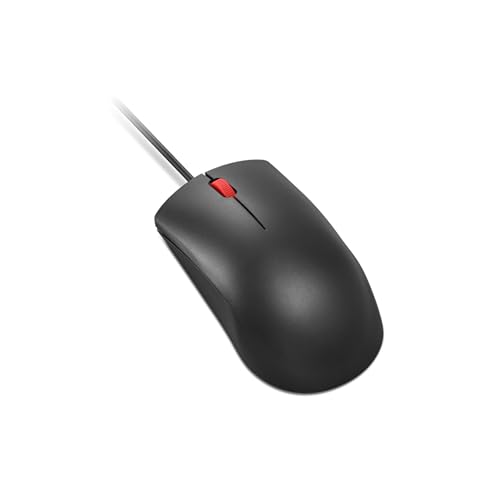
The first thing you notice about the Portronics Toad One Bluetooth Mouse is its sleek, contoured body. Designed for right-handed users, it features a thumb rest that significantly reduces fatigue during long hours of data entry or coding. The matte finish feels premium to the touch and provides a solid grip, even during humid Indian summers.
2. Dual Connectivity: The Power of Choice
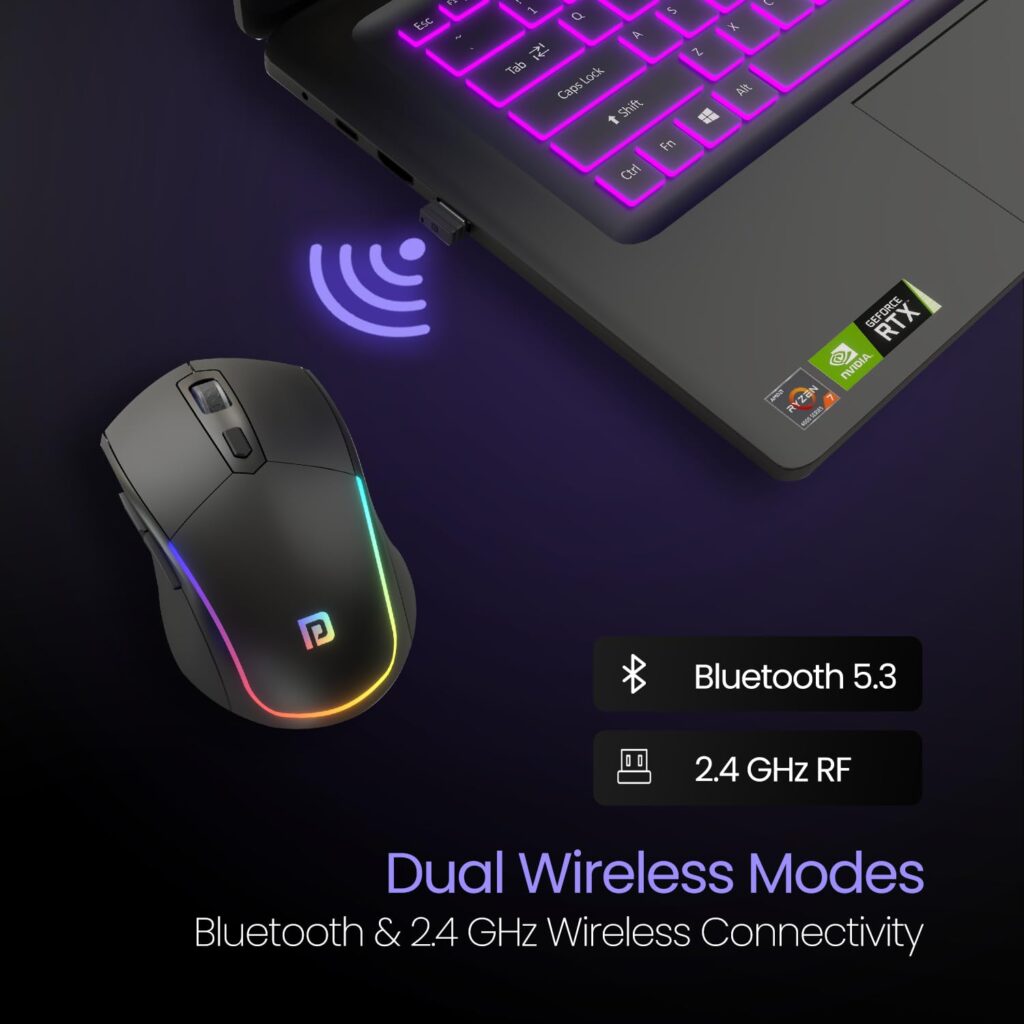
The standout feature is the dual-mode connectivity. It supports:
- 2.4GHz Wireless: Using the provided USB nano dongle (plug-and-play).
- Bluetooth 5.3: Allowing you to connect directly to laptops, tablets, or even smartphones without occupying a USB port.
Technical Specifications of Portronics Toad One Bluetooth Mouse
| Feature | Details |
| Model | Portronics Toad One |
| Connectivity | Bluetooth 5.3 & 2.4GHz Wireless |
| DPI Levels | 800 / 1200 / 1600 (Adjustable) |
| Buttons | 6 Functional Buttons |
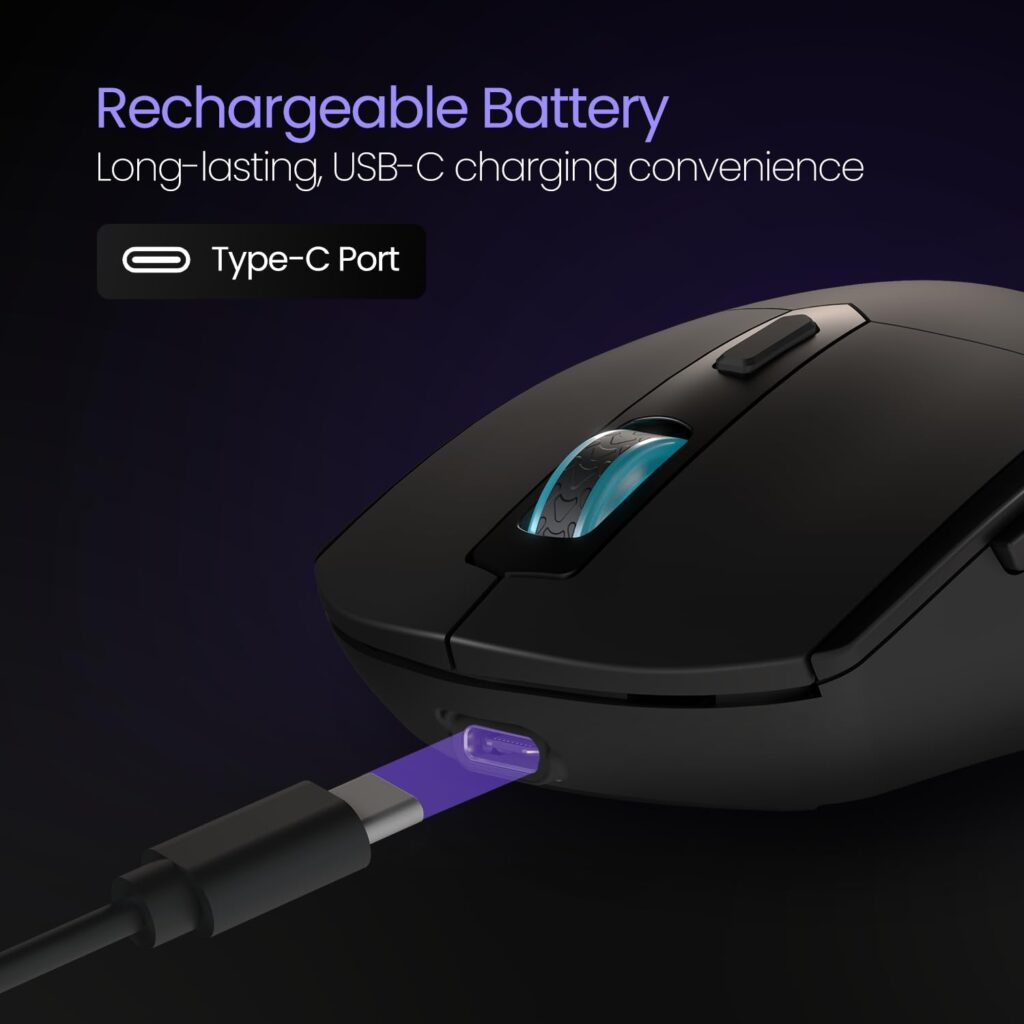
| Battery Type | Built-in Rechargeable (Type-C Port) |
| Compatibility | Windows, macOS, Android, iOS, Linux |
| Weight | Approx. 80g |
| Warranty | 12 Months |
Performance and User Experience of Portronics Toad One Bluetooth Mouse
Precision for Every Task
With an adjustable DPI (Dots Per Inch) button, the Portronics Toad One Bluetooth Mouse allows you to switch between 800, 1200, and 1600 DPI. If you are editing a photo, the lower DPI offers precision; for casual browsing, the 1600 DPI setting lets you glide across the screen with minimal wrist movement.
Silent Clicks for Focused Work
In an office environment or a quiet library, loud clicking sounds can be distracting. Portronics has integrated silent switches into this mouse. The tactile feedback remains satisfying, but the noise is reduced by nearly 90%, making it a “People-First” choice for professionals.
The Rechargeable Revolution
Gone are the days of hunting for AA or AAA batteries. The Toad One features a Type-C charging port. A single full charge can last several weeks depending on usage, which is not only cost-effective but also environmentally friendly—a factor highly valued by the modern Indian consumer.
Pros and Cons of Portronics Toad One Bluetooth Mouse
What We Liked (Pros)
- Seamless Switching: Easily toggle between Bluetooth and 2.4GHz modes.
- Ergonomic Thumb Rest: Prevents “mouse cramp” during 8-hour workdays.
- Type-C Charging: Modern, fast, and convenient.
- RGB Lighting: Adds a subtle, premium aesthetic to your desk setup.
- Multi-OS Support: Works flawlessly with iPads and Android tablets.
What Could Be Improved (Cons)
- Right-Hand Centric: Not suitable for left-handed users (ambidextrous).
- Size: Might feel a bit bulky for those with very small hands.
How to Maximise Productivity with Portronics Toad One
To get the most out of your Portronics Toad One Bluetooth Mouse, we recommend using the Bluetooth mode for your tablet and the 2.4GHz dongle for your primary PC. This allows you to switch between devices at the press of a button, effectively doubling your workflow speed.
Our Verdict: Why Should You Buy the Portronics Toad One?
At Gadget Info, we’ve tested dozens of peripherals, but the Portronics Toad One Bluetooth Mouse stands out as a rare “triple threat”: it is ergonomic, multi-functional, and rechargeable. In an Indian market flooded with battery-hungry wireless mice, this device feels like a breath of fresh air for your wallet and your workflow.
The Bottom Line: Who is this for?
If you are tired of your mouse dying in the middle of a presentation or hate carrying multiple dongles for your laptop and tablet, the Toad One is your best bet. It is specifically designed for:
- Students & Aspirants: Who need a reliable, silent tool for long hours of online coaching and note-taking.
- Remote Professionals: Who switch between a work laptop and a personal iPad frequently.
- Budget-Conscious Buyers: Who want a “premium feel” without crossing the ₹1,000 mark.
5 Compelling Reasons to Buy Right Now
- Zero Battery Hassle: The built-in rechargeable battery via Type-C is the single biggest “Pro.” You’ll save hundreds of rupees on AA batteries over the mouse’s lifespan.
- Whisper-Quiet Environment: The silent-click buttons are perfect for shared office spaces, late-night study sessions, or working from home without disturbing your family.
- Future-Proof Connectivity: With Bluetooth 5.3, you get a lag-free experience and the ability to connect to modern devices that no longer feature standard USB ports.
- Ergonomic Comfort: The dedicated thumb rest and contoured shape aren’t just for show—they significantly reduce the risk of Repetitive Strain Injury (RSI) during long shifts.
- Unbeatable Value: Getting a dual-mode, 6-button, RGB-enabled mouse at this price point is a steal. Portronics’ Pan-India service network further adds a layer of trust.
Final Thoughts
While it may not be a professional gaming mouse, it is arguably the best all-rounder office mouse available in India today. If you want to declutter your desk and upgrade your productivity, the Portronics Toad One Bluetooth Mouse is a purchase you won’t regret.
Our Rating: ⭐⭐⭐⭐⭐ (5/5 Stars)

Frequently Asked Questions (FAQs) of Portronics Toad One Bluetooth Mouse
- Is the Portronics Toad One Bluetooth Mouse good for gaming?
It is excellent for casual gaming, but professional e-sports players might prefer a dedicated high-polling rate wired gaming mouse.
- How do I charge this mouse?
You can use any standard Type-C cable connected to your PC or a 5V wall adapter.
- Can I connect it to my iPad?
Yes, it supports Bluetooth connectivity which works perfectly with iPadOS.
- Does it have an On/Off switch?
Yes, there is a toggle at the bottom to save battery when not in use.
- What is the wireless range?
It offers a stable connection up to 10 metres.
- Does the RGB light stay on forever?
The RGB light adds to the aesthetics but can be managed via the power settings to conserve battery.
- Is the battery replaceable?
It has a built-in rechargeable battery, so you don’t need to replace it like traditional cells.
- How to pair the Portronics Toad One via Bluetooth?
Switch to BT mode, hold the pairing button, and look for “Toad One” in your device’s Bluetooth settings.
- Is it compatible with Windows 11?
Yes, it is fully compatible with Windows 10/11 and macOS.
- What is the DPI button used for?
It changes the cursor speed/sensitivity.
- Does it work on glass surfaces?
It works best on mousepads or wooden surfaces; it may struggle on clear glass.
- What comes in the box?
The mouse, a USB dongle, a Type-C charging cable, and a user manual.
- Is Portronics an Indian brand?
Yes, Portronics is a prominent Indian portable electronics brand.
- How long does the warranty last?
It comes with a 1-year manufacturer warranty.
- Can I use it while it’s charging?
Yes, you can continue to use it in wired mode while it charges.
- Is it heavy?
At around 80g, it is lightweight enough for travel but heavy enough to feel sturdy.
- Does it have side buttons?
Yes, it includes forward and backward buttons for easier web navigation.
- Why is my mouse cursor lagging?
Ensure the battery is charged or move the 2.4GHz dongle to a closer USB port.
- How do I know if the battery is low?
The cursor movement may become jittery or the LED indicator will flash.
- Is it better than the Portronics Toad 23?
Yes, the Toad One offers Bluetooth and a rechargeable battery, which are upgrades over the Toad 23.
Disclaimer: As an Amazon Associate, Gadget Info earns from qualifying purchases. This ensures we can continue bringing you high-quality, unbiased reviews.

Kaushik Chatterjee is a dedicated tech enthusiast and the founder of GadgetInfo.net. With 5 years of experience tracking the consumer electronics market, specializes in breaking down complex technical specifications into easy-to-understand insights for everyday users.
From the latest smartphone launches to deep dives into PC hardware, our mission is to help readers make informed buying decisions in an ever-evolving digital world.
We are proud to announce that Gadget Info is officially recognized as a startup by the Department for Promotion of Industry and Internal Trade (DPIIT), Government of India.
Our official BHASKAR ID (Bharat Startup Knowledge Access Registry) is: IN-0126-9371SS
This recognition underscores our commitment to innovation, professional integrity, and our role within India’s growing digital ecosystem.
You can write us at admin@gadgetinfo.net