
As an Amazon Associate, I earn from qualifying purchases. This post may contain affiliate links. Read our full disclosure.
The Ultimate Review: Why the Anker Laptop Power Bank is a Must-Have for Professionals.
In an era where the “office” can be a Parisian café, a high-speed train, or a remote cabin in the Rockies, power is the ultimate currency. For the modern American professional, a laptop dying mid-presentation isn’t just an inconvenience—it’s a productivity disaster.
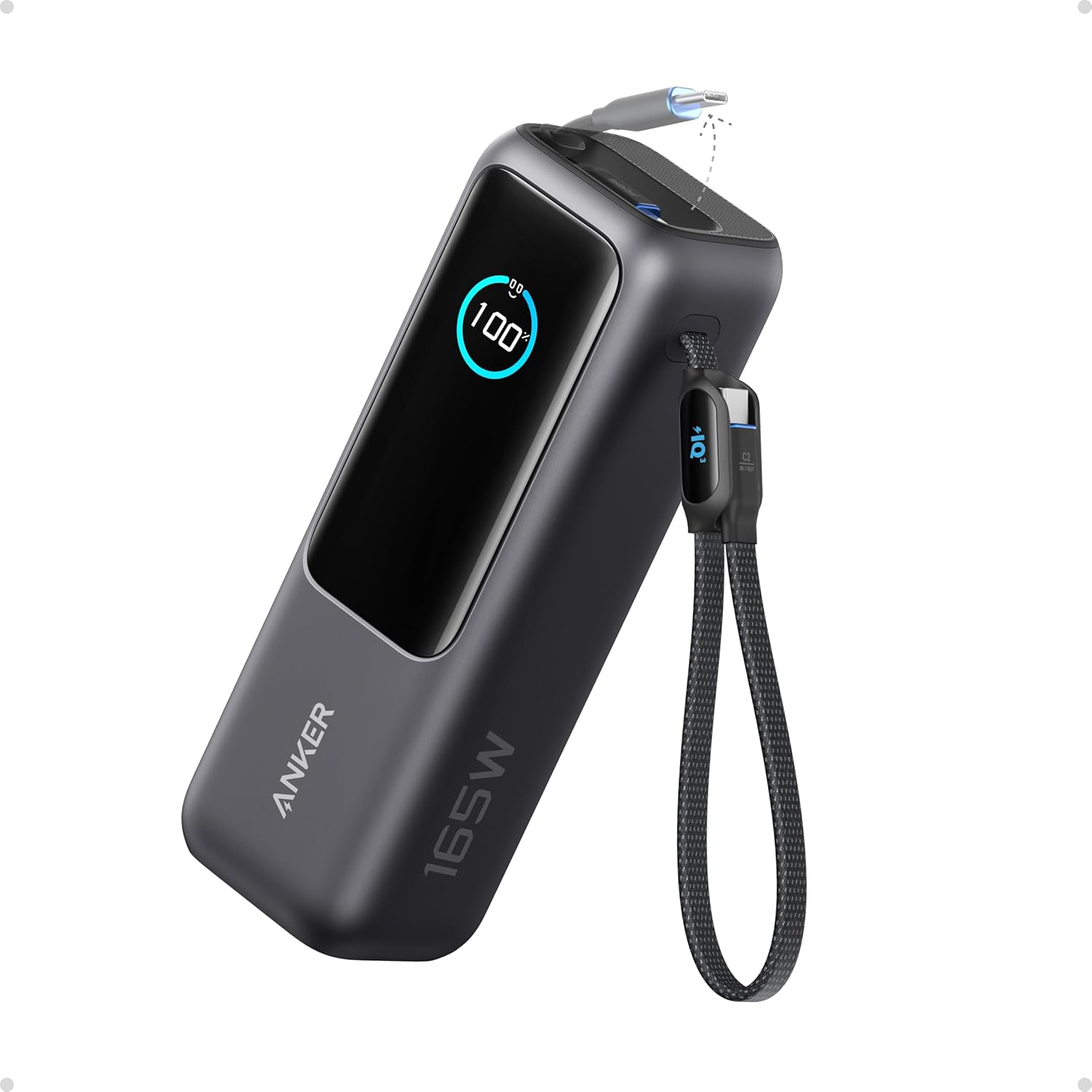
At Gadget Info, we have tested dozens of portable chargers, but few brands command as much respect as Anker. Today, we are deep-diving into the Anker Laptop Power Bank (specifically the 737 PowerCore 24K series), a device that promises to end “battery anxiety” once and for all.
Price of Anker Laptop Power Bank
| MRP | Discount % | Price as on 2026 |
| $134.99 | 11% | $119.99 |
Technical Specifications of Anker Laptop Power Bank
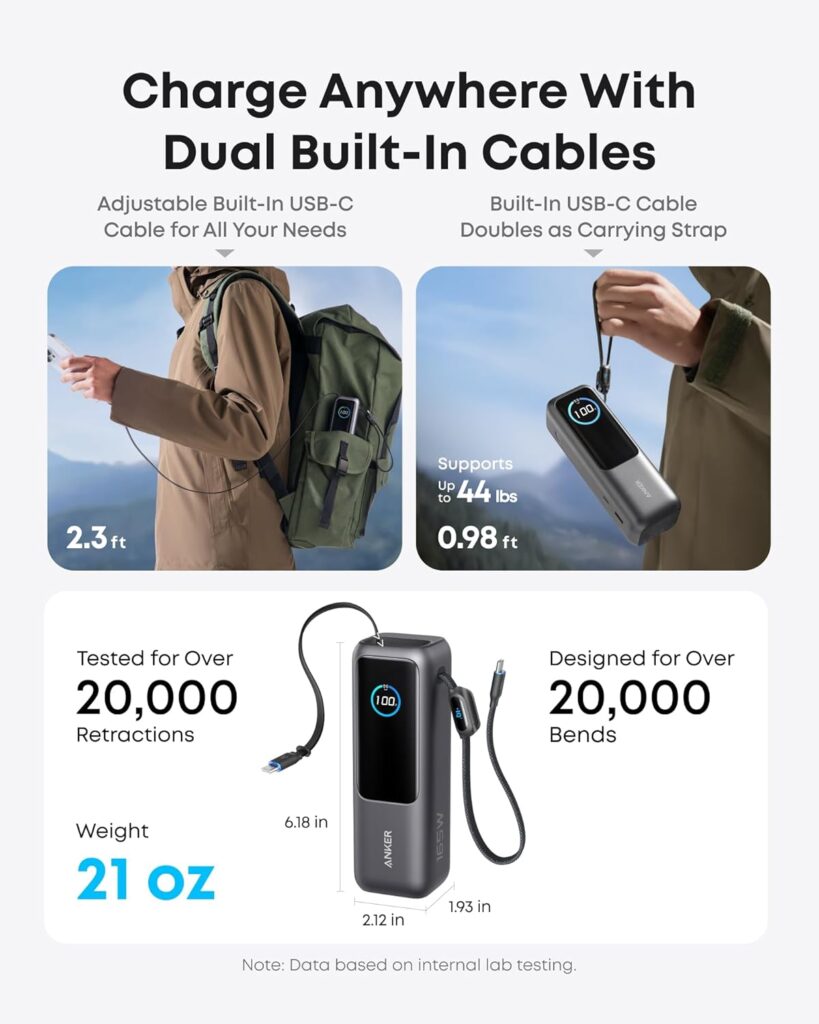
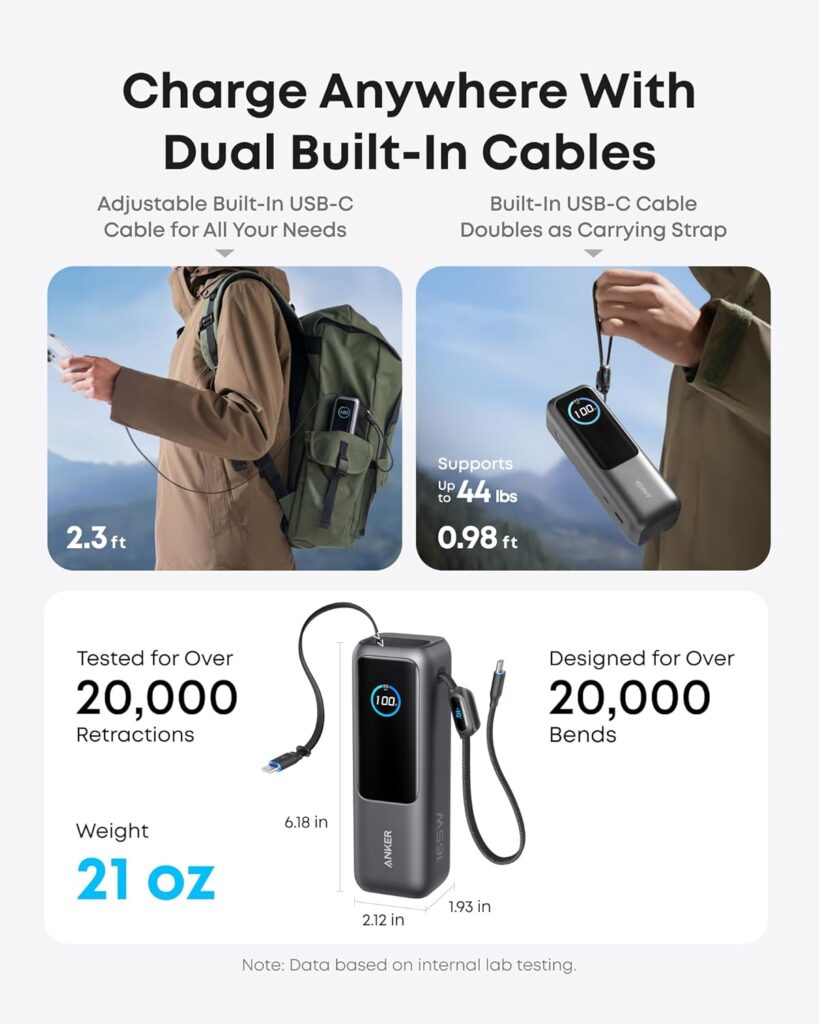
For the tech-enthusiasts at Gadget Info, specs are everything. Here is what makes this powerhouse tick:
- Model: Anker 737 Power Bank (PowerCore 24K)
- Battery Capacity: 24,000 mAh
- Max Power Output: 140W (Single Port)
- Input/Output Ports: 2x USB-C (Bi-directional), 1x USB-A
- Charging Protocol: PD 3.1 (Power Delivery)
- Display: Smart Digital Display (Real-time monitoring of volts, amps, and health)
- Weight: 630g (Approx. 1.39 lbs)
- Compatibility: MacBook Pro/Air, iPad, iPhone, Samsung Galaxy, Steam Deck, and more.
The Evolution of Portable Power
Gone are the days when power banks were only meant for smartphones. The transition to USB-C Power Delivery (PD) has revolutionised how we charge high-drain devices. The Anker Laptop Power Bank is engineered to meet the rigorous demands of MacBook Pros, Dell XPS units, and high-performance Chromebooks.
Design and Build Quality
The first thing you notice about this unit is its premium heft. Clad in a sleek, space-grey polycarbonate shell with a textured metallic face, it feels like a piece of high-end hardware rather than a plastic accessory. The integrated GaN (Gallium Nitride) technology allows it to remain relatively compact despite its massive internal capacity.
Performance: 140W of Pure Adrenaline
The standout feature of this Anker Laptop Power Bank is the 140W output. Utilizing the latest PD 3.1 technology, it can charge a 16-inch MacBook Pro to 50% in just 28 minutes.
But it’s not just about speed; it’s about intelligence. The ActiveShield 2.0 technology monitors temperature over 3 million times per day to prevent overheating, ensuring your $2,000 laptop stays safe during rapid charging sessions.
The Smart Display: A Game Changer
Most power banks use four blinking LEDs to show remaining juice. Anker provides a full-colour digital dashboard. It shows:
- Remaining battery percentage.
- Time remaining until the power bank is empty.
- Time required to fully recharge the power bank itself.
- Real-time wattage for each port.
Pros and Cons of Anker Laptop Power Bank
✅ The Pros: Why It Leads the Market
- Hyper-Fast 140W PD 3.1 Output: This is the “Gold Standard.” Most power banks top out at 65W or 100W. The Anker 737 is one of the few that can actually charge a 16-inch MacBook Pro at its maximum intake speed.
- The “Genius” Smart Display: This isn’t just a gimmick. Knowing exactly how many minutes remain until your laptop dies—or how long until the power bank itself is recharged—allows you to plan your workday with surgical precision.
- Ultra-Rapid Self-Recharge: Because it supports 140W input, you can recharge this massive 24,000mAh cell from 0% to 100% in roughly 52 minutes. Most competitors take 3 to 5 hours.
- ActiveShield 2.0 Safety: For the expensive hardware we use in the US, safety matters. Anker’s proprietary tech monitors heat 3 million times a day, ensuring your $2,000 laptop never suffers from a voltage spike.
- TSA/FAA Compliant: It packs 86.4Wh of energy. Since the legal limit for US flights is 100Wh, you can breeze through airport security without a second glance from TSA.
❌ The Cons: What to Consider Before Buying
- The “Brick” Factor: Quality weighs something. At 1.39 lbs (630g), you will feel this in a slim briefcase. It’s designed for backpacks and carry-ons, not coat pockets.
- Vertical Stability: Due to its tall, “tower” design, it can be a bit top-heavy when charging three devices at once. We recommend laying it flat on its side during use.
- Premium Pricing: It is an investment. If you only need to charge a smartphone, this is “overkill.” This device is specifically engineered for high-drain laptop users.
- Usable Capacity vs. Rated Capacity: Like all power banks, some energy is lost to heat conversion. While it’s rated at 24,000mAh, you’ll get roughly 13,000–14,000mAh of actual delivered power, which is standard for high-wattage units but important to note.
Comparison Table: Anker vs. Standard Power Banks
| Feature | Standard Power Bank | Anker Laptop Power Bank |
| Max Output | 15W – 22.5W | 140W (PD 3.1) |
| Primary Device | Smartphones | MacBooks / Laptops |
| Recharge Time | 4 – 6 Hours | Approx. 52 Minutes |
| Monitoring | 4 LED Lights | Full-Colour Smart OLED |
| Safety | Basic Fuses | ActiveShield 2.0 (AI-Driven) |
Why Americans Are Choosing Anker
In the US market, reliability is king. Whether you are a student at a university library or a digital nomad in Seattle, you need gear that doesn’t fail. Anker’s customer service and 24-month warranty have built a level of trust that off-brand competitors simply cannot match. This Anker Laptop Power Bank represents the gold standard of that reliability.
Frequently Asked Questions (FAQs) of Anker Laptop Power Bank
- Can the Anker Laptop Power Bank charge a gaming laptop? Yes, provided the laptop supports USB-C charging. However, extremely high-end gaming rigs may drain power faster than 140W under full load.
- Is it safe for aeroplanes? Absolutely. It is under the 100Wh TSA/FAA limit for lithium-ion batteries in carry-on bags.
- Does it come with a wall charger? Usually, it includes a USB-C cable but requires a high-wattage wall brick (sold separately) for the fastest recharging speeds.
- How many times can it charge an iPhone 15? Roughly 4.5 to 5 times.
- Can I charge my Apple Watch with it? Yes, the USB-A or USB-C ports support low-power charging modes for wearables.
- Does it support pass-through charging? Yes, you can charge the power bank while it charges your phone.
- Why is the display showing a “Health” percentage? This indicates the long-term battery degradation, helping you know when it’s time for a replacement.
- What is GaN technology? Gallium Nitride is a material that conducts electrons more efficiently than silicon, allowing for smaller, cooler chargers.
- Will it charge a MacBook Air M2? Yes, at full speed.
- How long does the battery hold its charge when not in use? It can hold a charge for several months, though it’s recommended to top it off every 3 months.
- Is the shell scratch-resistant? It is durable, but we recommend a protective pouch to keep the screen pristine.
- Can it charge a Nintendo Switch? Yes, it is excellent for the Switch in handheld or docked mode.
- What happens if it gets too hot? ActiveShield 2.0 will automatically throttle the power to protect the circuitry.
- Does it support Samsung Super Fast Charging 2.0? Yes, it supports PPS (Programmable Power Supply) protocols.
- How many ports does it have? Three: Two USB-C and one USB-A.
- Is Anker a reliable brand? Anker is a global leader in charging technology with millions of satisfied users in America.
- Can I use my own cables? Yes, but ensure they are rated for 100W or 140W to get the best speeds.
- Why is it more expensive than other 20,000mAh banks? Because of the 140W output and the smart monitoring display.
- What is the capacity in Wh? 86.4 Wh.
- Does it support Power Delivery 3.1? Yes, it is one of the few power banks on the market that does.
Our Verdict: Why Should You Buy Anker Laptop Power Bank?
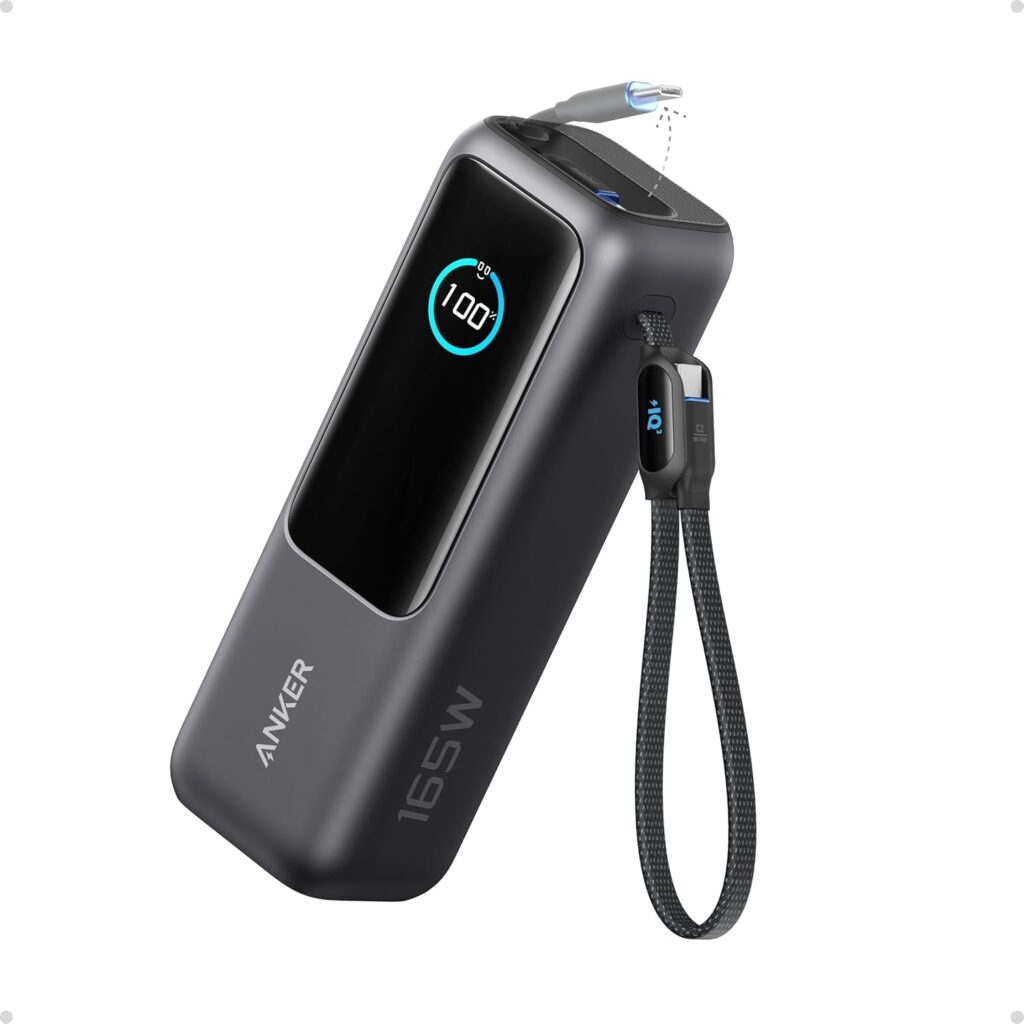
At Gadget Info, we’ve put countless portable chargers through their paces, but the Anker Laptop Power Bank stands in a league of its own. If you are tired of scouting for wall outlets in crowded airports or worrying about your battery percentage during a cross-country flight, this is the definitive solution.
The “Peace of Mind” Factor
The primary reason to invest in this device is reliability. While cheaper alternatives exist, they often fail to deliver the sustained wattage required to actually charge a laptop while it’s in use. This Anker unit doesn’t just keep your battery from dropping; it actively recharges it at speeds that rival your official Apple or Dell wall brick.
Who is this for?
- The Digital Nomad: If your office changes daily, you need a power source that is as mobile as you are.
- The Power User: If you run heavy software (video editing, 3D rendering, or large data sets), you know how fast a battery can drain. This bank provides the 140W “buffer” you need.
- The Commuter: Ideal for those long Amtrak rides or flights where the under-seat power outlets are notoriously broken.
The Bottom Line
You aren’t just buying a battery; you are buying time and freedom. The inclusion of the Smart Digital Display removes the guesswork, telling you exactly how many minutes of power you have left. In a world where being “offline” means being “out of work,” the Anker Laptop Power Bank is the most essential insurance policy you can carry in your bag.
It is powerful, intelligent, and built to last. For any American professional who values their productivity, this isn’t just a luxury—it’s a necessity.
Visit Gadget Info daily for more expert tech reviews and stay powered up!

Kaushik Chatterjee is a dedicated tech enthusiast and the founder of GadgetInfo.net. With 5 years of experience tracking the consumer electronics market, specializes in breaking down complex technical specifications into easy-to-understand insights for everyday users.
From the latest smartphone launches to deep dives into PC hardware, our mission is to help readers make informed buying decisions in an ever-evolving digital world.
We are proud to announce that Gadget Info is officially recognized as a startup by the Department for Promotion of Industry and Internal Trade (DPIIT), Government of India.
Our official BHASKAR ID (Bharat Startup Knowledge Access Registry) is: IN-0126-9371SS
This recognition underscores our commitment to innovation, professional integrity, and our role within India’s growing digital ecosystem.
You can write us at admin@gadgetinfo.net